
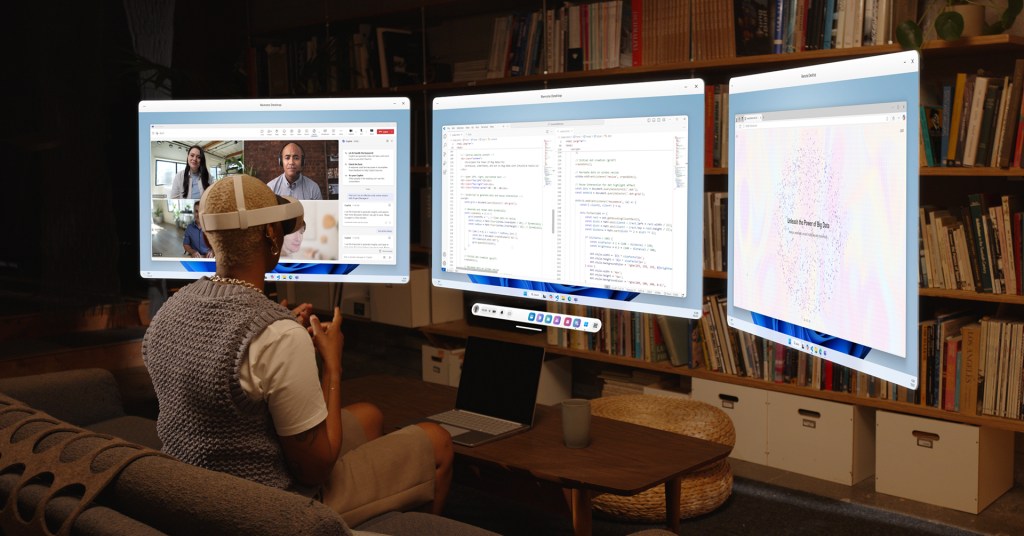
Meta has introduced new features for users of the Quest 3 and Quest 3S headsets on Windows computers. With the installation of Mixed Reality Link, users can now view and interact with their desktop display directly through their headset. To initiate this, users need to focus on their keyboard, select “pair,” and they can choose to use either a fully immersive desktop view or a passthrough mode that allows visibility of their physical surroundings.
Additionally, Meta is rolling out enhancements that include the ability to resize and rescale displays across various applications. A new Full Passthrough feature has also been implemented, enabling users to quickly check their environment by double-tapping the side of their headset or using the action button on the Quest 3S. Users can now open up to 12 applications simultaneously, adding to the multitasking capabilities of the device.
These updates aim to improve the overall user experience while integrating virtual and physical interactions.
Source: https://www.theverge.com/news/810576/microsoft-windows-11-mixed-reality-link-meta-quest-3-vr