
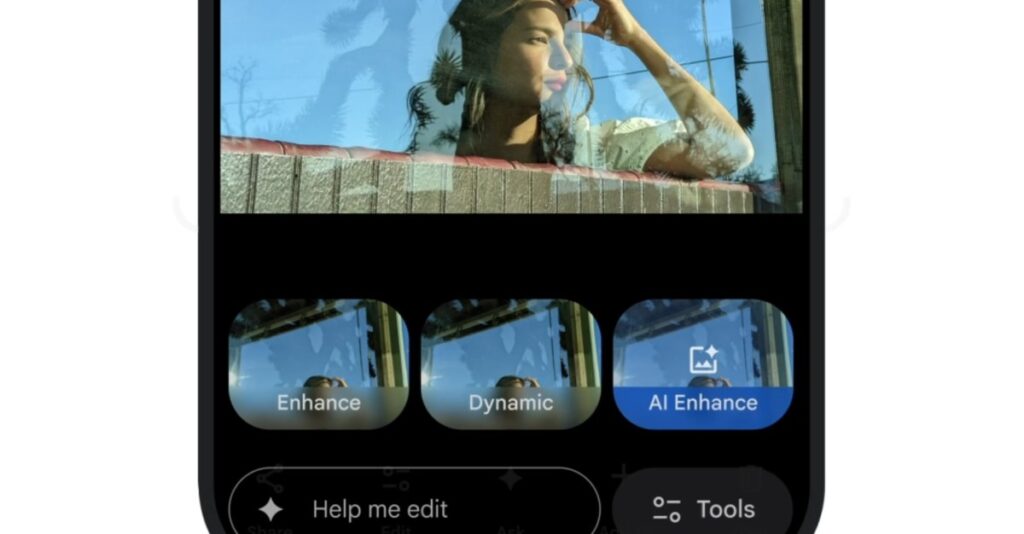
Google is implementing a series of updates to its Google Photos app, enhancing its capabilities with artificial intelligence. Among these updates is the introduction of the “Help me edit” feature for iOS users, which allows individuals to verbally or textually request edits to their photos. This feature was previously available only on Pixel and other Android devices. The rollout of this functionality is currently taking place in the U.S.
In its announcement, Google highlighted that users can articulate their desired edits and witness the app execute those changes. Additionally, the updates bring a redesigned user interface for editing, aimed at offering easier image adjustments through simple gestures and one-tap suggestions.
The updates also include personalized editing features that improve the accuracy of facial adjustments, such as removing glasses, opening closed eyes, or adding smiles. These enhancements utilize images from private face groups to achieve more refined edits. Google’s recently introduced Nano Banana AI model is being integrated into Google Photos, providing users with options to transform images into artistic styles like paintings, mosaics, and illustrations.
Other notable updates consist of a newly added “Ask” button for both Android and iOS, which launches a chatbot-like interface aimed at assisting users with editing requests and inquiries related to their images. Additionally, ready-made AI templates will be available for Android users, enabling quick edits based on common prompts like “put me in a high fashion photoshoot.” Furthermore, Google is expanding the “Ask Photos” tool to over 100 new regions and 17 additional languages, which facilitates the search for specific images within users’ galleries.
Source: https://www.theverge.com/news/818346/google-photos-ios-help-me-edit-update